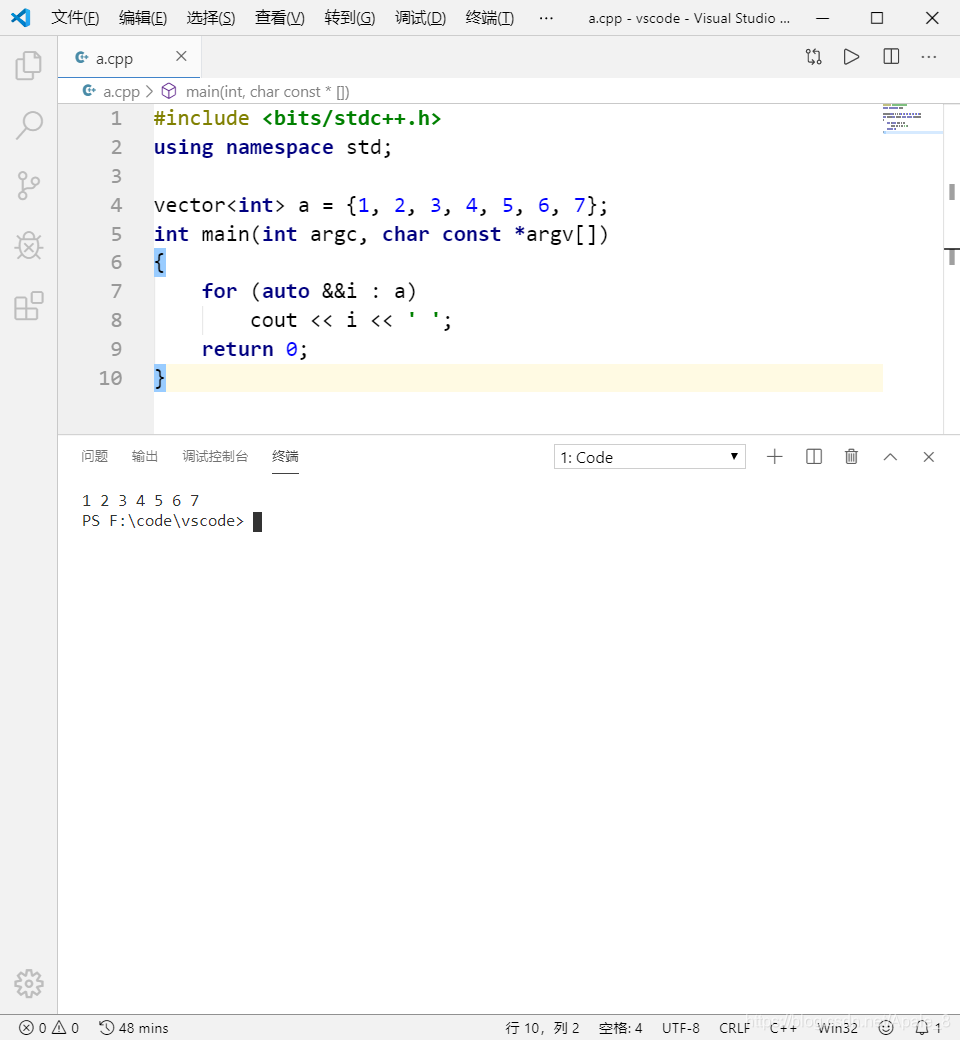
VSCode 配置C++环境并调成CLion风格
Apale 11/11/2019
//2020.12.15更新 发现了更更好用的自动补全插件(Tabnine)
后面的操作都是花里胡哨的。做完1、2、5就行了。
 直接安装Tabnine即可使用
//2020.03.20更新
直接安装Tabnine即可使用
//2020.03.20更新
发现了更好用的自动补全插件(clang)。
先装个LLVM (opens new window)
把LLVM/bin添加到环境变量
安装vscode-clangd插件
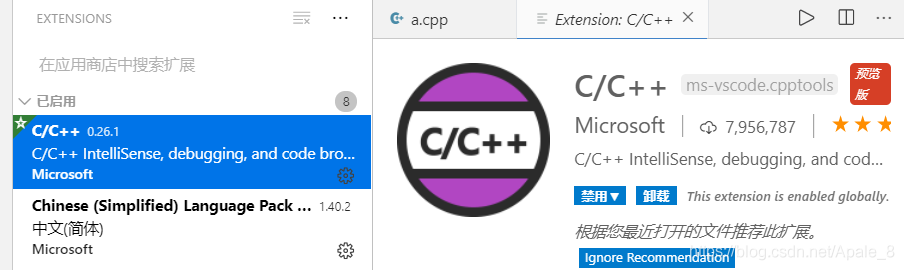
1、商店中搜索C++,下载(如下图)
2、商店下载Code Runner插件
 Code Runner插件通过终端编译运行代码,因此需要将g++所在的目录添加到环境变量中。
不懂请搜索“mingw添加到环境变量”。一般DevCpp和Codeblocks的目录下有一个版本较老的mingw
cmd下输入g++ -v检测是否添加成功
Code Runner插件通过终端编译运行代码,因此需要将g++所在的目录添加到环境变量中。
不懂请搜索“mingw添加到环境变量”。一般DevCpp和Codeblocks的目录下有一个版本较老的mingw
cmd下输入g++ -v检测是否添加成功
3、新建一个文件夹
在文件夹中创建c_cpp_properties.json,将以下代码写入
{
    "configurations": [
        {
            "name": "Win32",
            "includePath": [
                "${workspaceFolder}/**",
                "F:/Dev-Cpp/MinGW64/lib/gcc/x86_64-w64-mingw32/4.8.1/include"
            ],
            "defines": [
                "_DEBUG",
                "UNICODE",
                "_UNICODE"
            ],
            "windowsSdkVersion": "10.0.17763.0",
            "cStandard": "c11",
            "cppStandard": "c++17",
            "intelliSenseMode": "gcc-x64"
        }
    ],
    "version": 4
}
1
2
3
4
5
6
7
8
9
10
11
12
13
14
15
16
17
18
19
20
21
2
3
4
5
6
7
8
9
10
11
12
13
14
15
16
17
18
19
20
21
关键点是includePath的第二行:写入你自己的mingw对应的目录 到这一步已经可以通过右上角的小箭头编译运行C++了 但C++11的语法还不能用,因为编译选项在Code Runner的配置文件中
5、修改Code Runner配置文件
Ctrl + Shift + P打开settings.json 输入code-runner,会补全出一大串东西 将cpp的那行修改,加上c++14的编译选项-std=c++14:
"cpp": "clear cd $dir && g++ $fileName -std=c++14 -o $fileNameWithoutExt && $dir$fileNameWithoutExt"
1
其中clear是为了在编译前清屏,看起来更清爽
6、创建stdc++.h文件
平时常用#include <bits/stdc++.h>,但现在并不能用(不知道为啥) 解决方法就是在MinGW64\lib\gcc\x86_64-w64-mingw32\4.8.1\include\c++\bits目录下创建stdc++.h文件 将以下内容复制进去
// C++ includes used for precompiling -*- C++ -*-

// Copyright (C) 2003-2013 Free Software Foundation, Inc.
//
// This file is part of the GNU ISO C++ Library.  This library is free
// software; you can redistribute it and/or modify it under the
// terms of the GNU General Public License as published by the
// Free Software Foundation; either version 3, or (at your option)
// any later version.

// This library is distributed in the hope that it will be useful,
// but WITHOUT ANY WARRANTY; without even the implied warranty of
// MERCHANTABILITY or FITNESS FOR A PARTICULAR PURPOSE.  See the
// GNU General Public License for more details.

// Under Section 7 of GPL version 3, you are granted additional
// permissions described in the GCC Runtime Library Exception, version
// 3.1, as published by the Free Software Foundation.

// You should have received a copy of the GNU General Public License and
// a copy of the GCC Runtime Library Exception along with this program;
// see the files COPYING3 and COPYING.RUNTIME respectively.  If not, see
// <http://www.gnu.org/licenses/>.

/** @file stdc++.h
 *  This is an implementation file for a precompiled header.
 */

// 17.4.1.2 Headers

// C
#ifndef _GLIBCXX_NO_ASSERT
#include <cassert>
#endif
#include <cctype>
#include <cerrno>
#include <cfloat>
#include <ciso646>
#include <climits>
#include <clocale>
#include <cmath>
#include <csetjmp>
#include <csignal>
#include <cstdarg>
#include <cstddef>
#include <cstdio>
#include <cstdlib>
#include <cstring>
#include <ctime>

#if __cplusplus >= 201103L
#include <ccomplex>
#include <cfenv>
#include <cinttypes>
#include <cstdalign>
#include <cstdbool>
#include <cstdint>
#include <ctgmath>
#include <cwchar>
#include <cwctype>
#endif

// C++
#include <algorithm>
#include <bitset>
#include <complex>
#include <deque>
#include <exception>
#include <fstream>
#include <functional>
#include <iomanip>
#include <ios>
#include <iosfwd>
#include <iostream>
#include <istream>
#include <iterator>
#include <limits>
#include <list>
#include <locale>
#include <map>
#include <memory>
#include <new>
#include <numeric>
#include <ostream>
#include <queue>
#include <set>
#include <sstream>
#include <stack>
#include <stdexcept>
#include <streambuf>
#include <string>
#include <typeinfo>
#include <utility>
#include <valarray>
#include <vector>

#if __cplusplus >= 201103L
#include <array>
#include <atomic>
#include <chrono>
#include <condition_variable>
#include <forward_list>
#include <future>
#include <initializer_list>
#include <mutex>
#include <random>
#include <ratio>
#include <regex>
#include <scoped_allocator>
#include <system_error>
#include <thread>
#include <tuple>
#include <type_traits>
#include <typeindex>
#include <unordered_map>
#include <unordered_set>
#endif
1
2
3
4
5
6
7
8
9
10
11
12
13
14
15
16
17
18
19
20
21
22
23
24
25
26
27
28
29
30
31
32
33
34
35
36
37
38
39
40
41
42
43
44
45
46
47
48
49
50
51
52
53
54
55
56
57
58
59
60
61
62
63
64
65
66
67
68
69
70
71
72
73
74
75
76
77
78
79
80
81
82
83
84
85
86
87
88
89
90
91
92
93
94
95
96
97
98
99
100
101
102
103
104
105
106
107
108
109
110
111
112
113
114
115
116
117
118
2
3
4
5
6
7
8
9
10
11
12
13
14
15
16
17
18
19
20
21
22
23
24
25
26
27
28
29
30
31
32
33
34
35
36
37
38
39
40
41
42
43
44
45
46
47
48
49
50
51
52
53
54
55
56
57
58
59
60
61
62
63
64
65
66
67
68
69
70
71
72
73
74
75
76
77
78
79
80
81
82
83
84
85
86
87
88
89
90
91
92
93
94
95
96
97
98
99
100
101
102
103
104
105
106
107
108
109
110
111
112
113
114
115
116
117
118
8、下载idea风格键盘映射
用惯了jetbrains家IDE的话直接下载即可

9、下载CLion主题
 完美
完美